> ## Documentation Index
> Fetch the complete documentation index at: https://inference-docs.cerebras.ai/llms.txt
> Use this file to discover all available pages before exploring further.
# Get Started with Cline and Cerebras
> Set up Cline, an open-source AI coding assistant, to work with Cerebras inference.
Cline is an autonomous AI coding agent that runs in your IDE to assist with software development tasks.
## Prerequisites
Before you begin, ensure you have:
* **Cerebras API Key** - Get a free API key [here](https://cloud.cerebras.ai/?utm_source=3pi_cline\&utm_campaign=integrations).
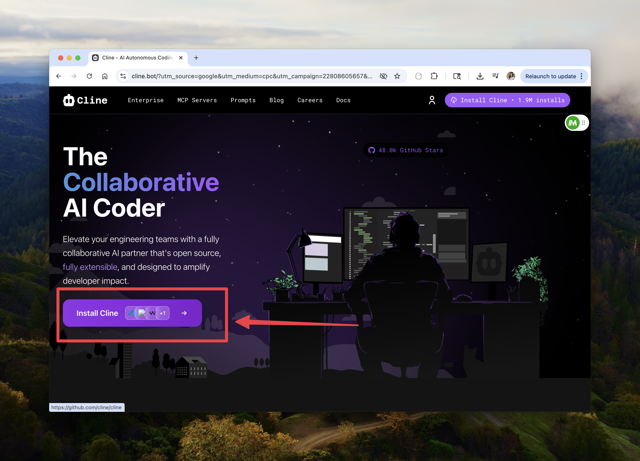
* **Cline** - Download and install from [cline.bot](https://cline.bot/?utm_source=cerebras\&utm_campaign=cline).
## Configure Cline
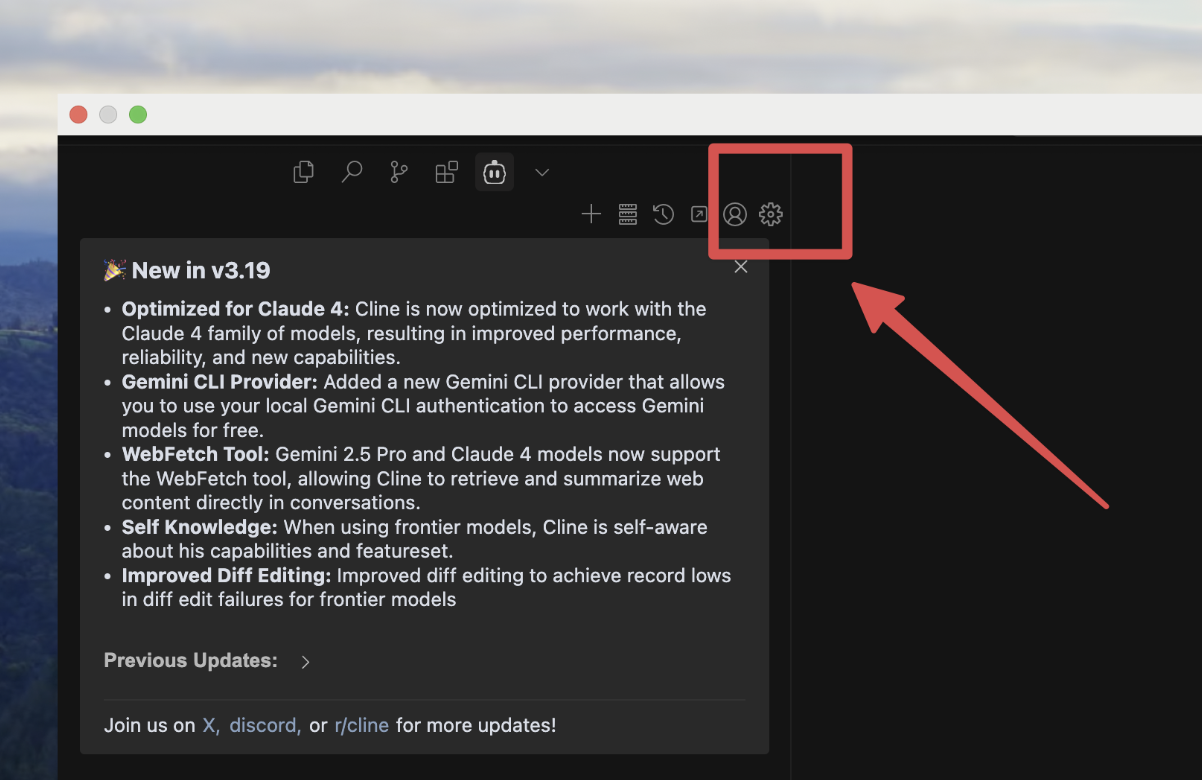
* Inside of your code editor, go to your Cline settings:
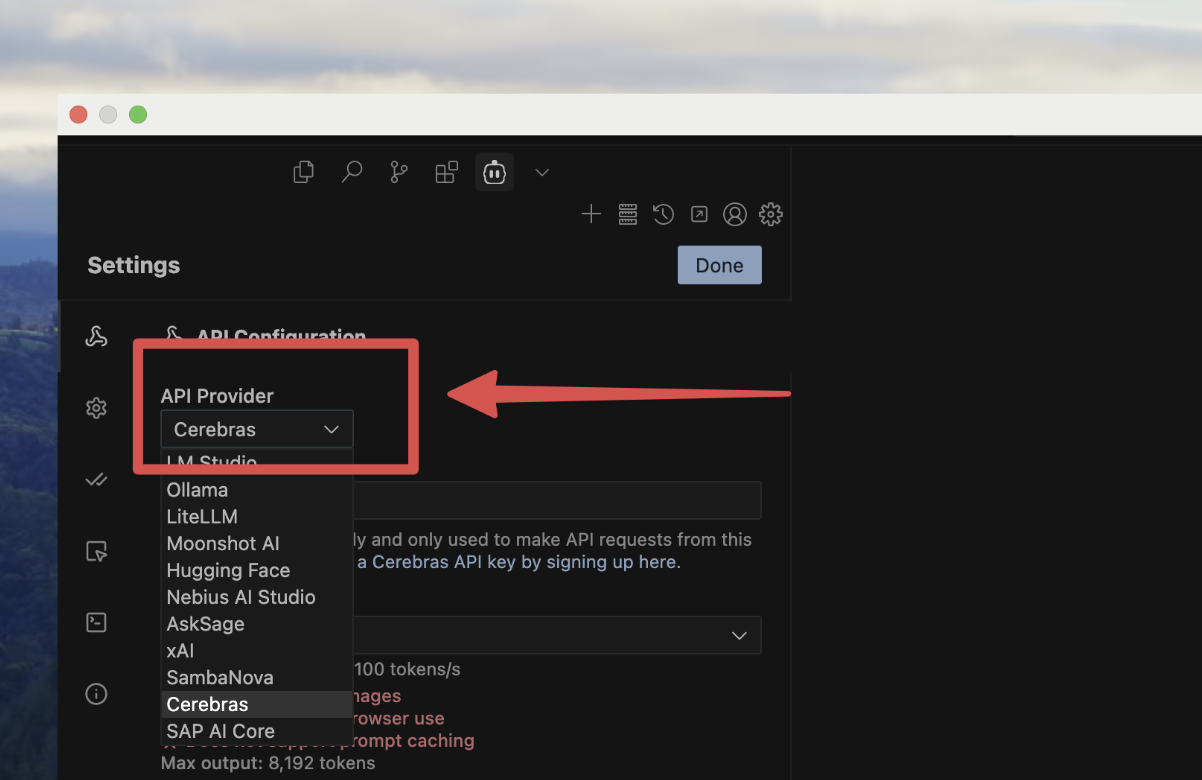
* In your Cline settings, select `Cerebras`:
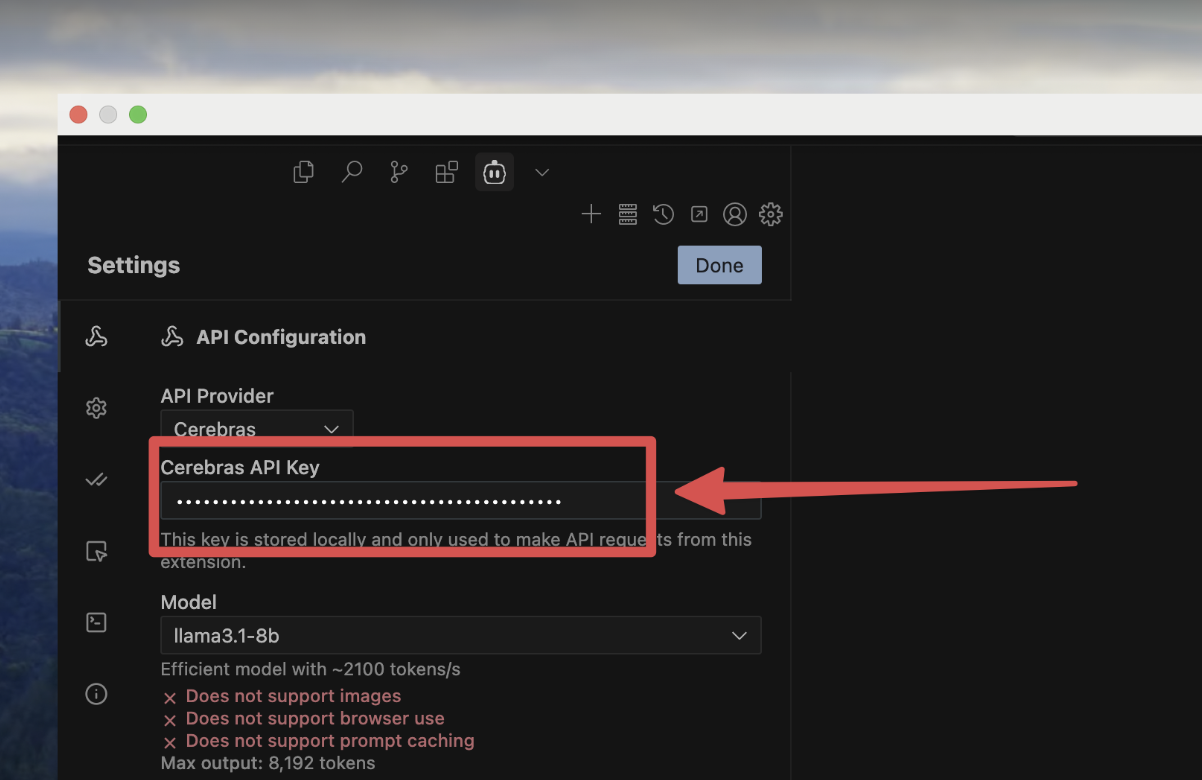
* Paste in your API key:
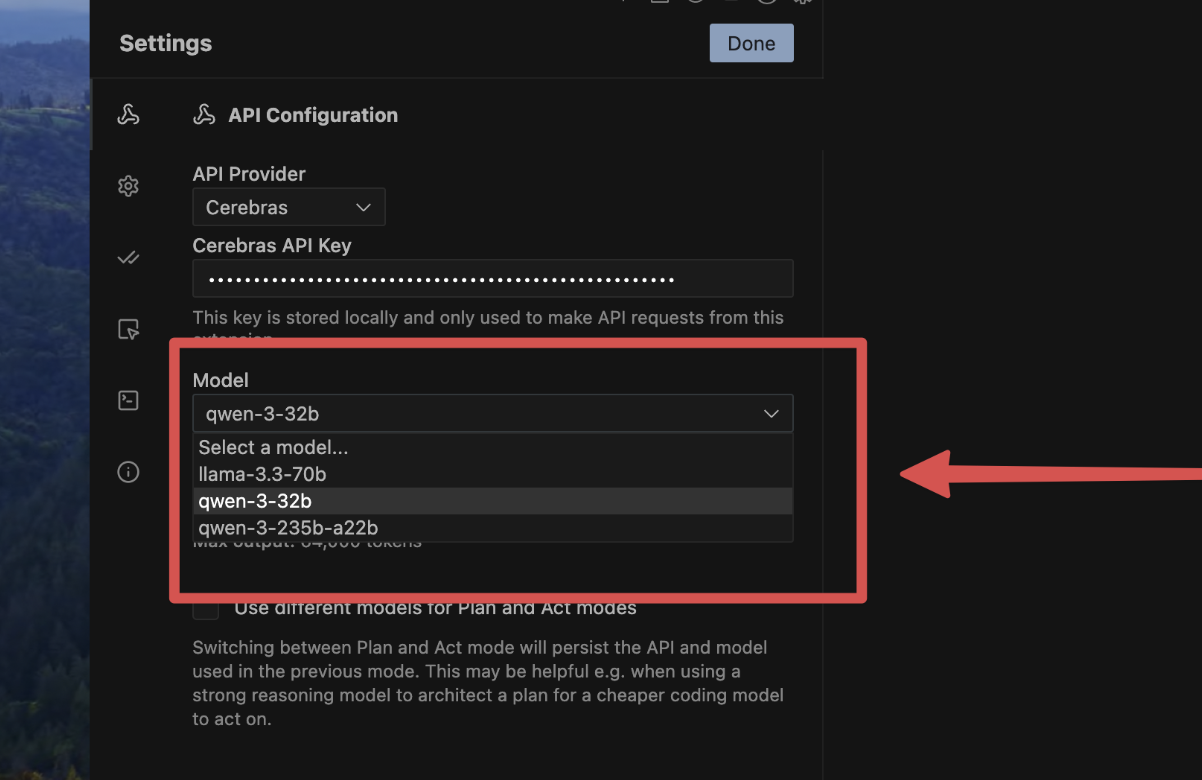
In the model selector, select `gpt-oss-120b` or `zai-glm-4.7`.
Use Cline as usual: refactor, generate, build agents, or explore codebases — now with near-zero latency
* [Upgrade with Cerebras credits](https://cloud.cerebras.ai/?utm_source=3pi_cline\&utm_campaign=integrations) for 24/7 access to premium models like Qwen3-235B.
* **[Migrate to GLM4.7](/resources/glm-47-migration)** - Ready to upgrade? Follow our migration guide to start using our latest model.
## Available Models
Cline supports all Cerebras models for AI coding assistance:
| Model | Parameters | Best For |
| ---------------- | ---------- | ---------------------------------------------------------------- |
| **gpt-oss-120b** | 120B | Largest model for the most demanding tasks |
| **zai-glm-4.7** | 357B | Advanced 357B parameter model with strong reasoning capabilities |
Select your preferred model from the Cline model selector to switch between them.
 * In your Cline settings, select `Cerebras`:
 * Paste in your API key:
 ## Configure Cline